Xcode integration
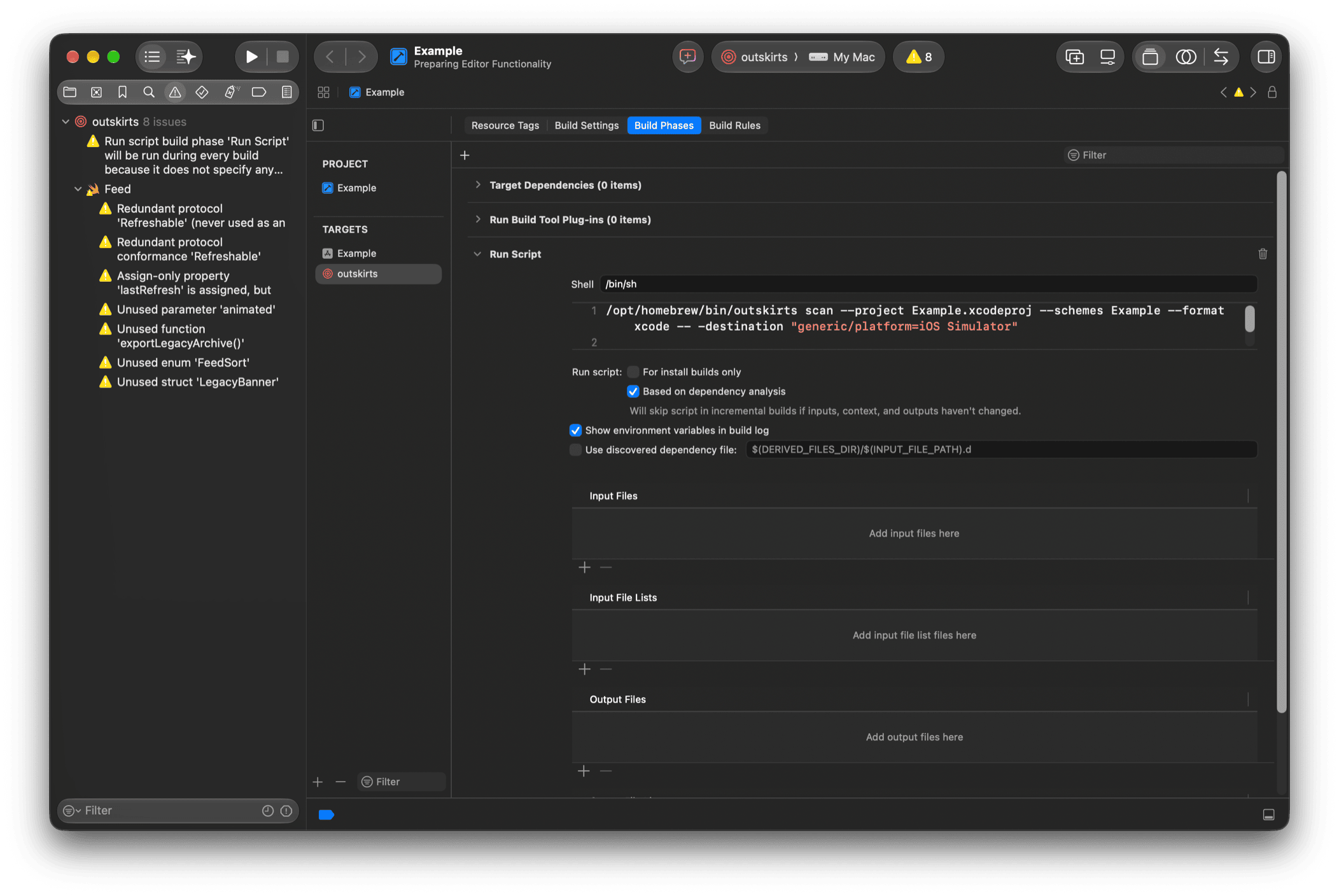
Results of the xcode format show up as warnings in Xcode, next to the code they point at. This page adds an aggregate target that runs outskirts from a scheme.
Before setting up Xcode integration, get outskirts working in a terminal, as Xcode will run the same command. Your project may need the -destination argument of xcodebuild; pass it after --, e.g. outskirts scan ... -- -destination "generic/platform=iOS Simulator".
On this page
Step 1: Create an aggregate target#
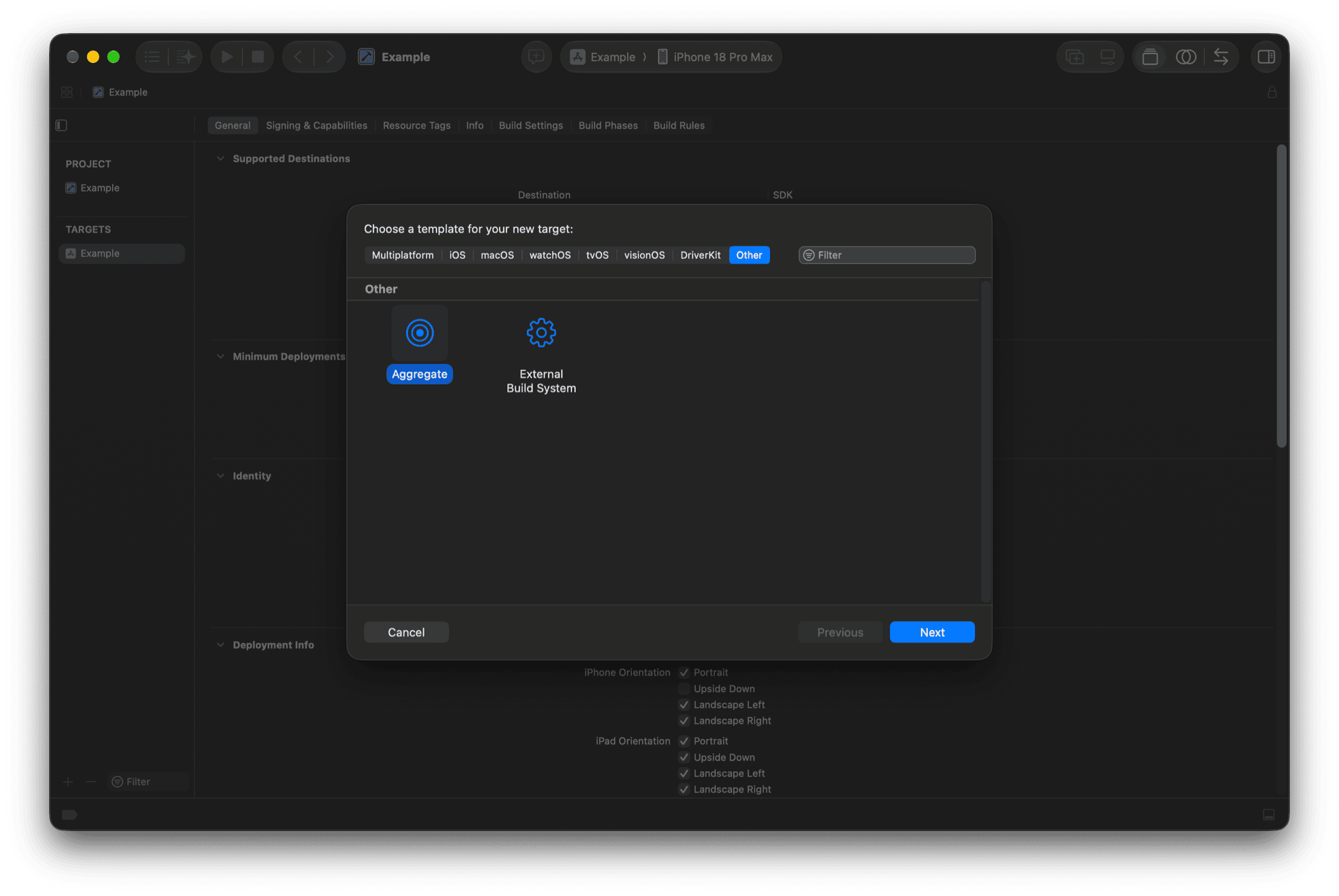
Select your project in the Project Navigator and click the + button at the bottom left of the Targets section. Select Other and choose Aggregate. Click Next.
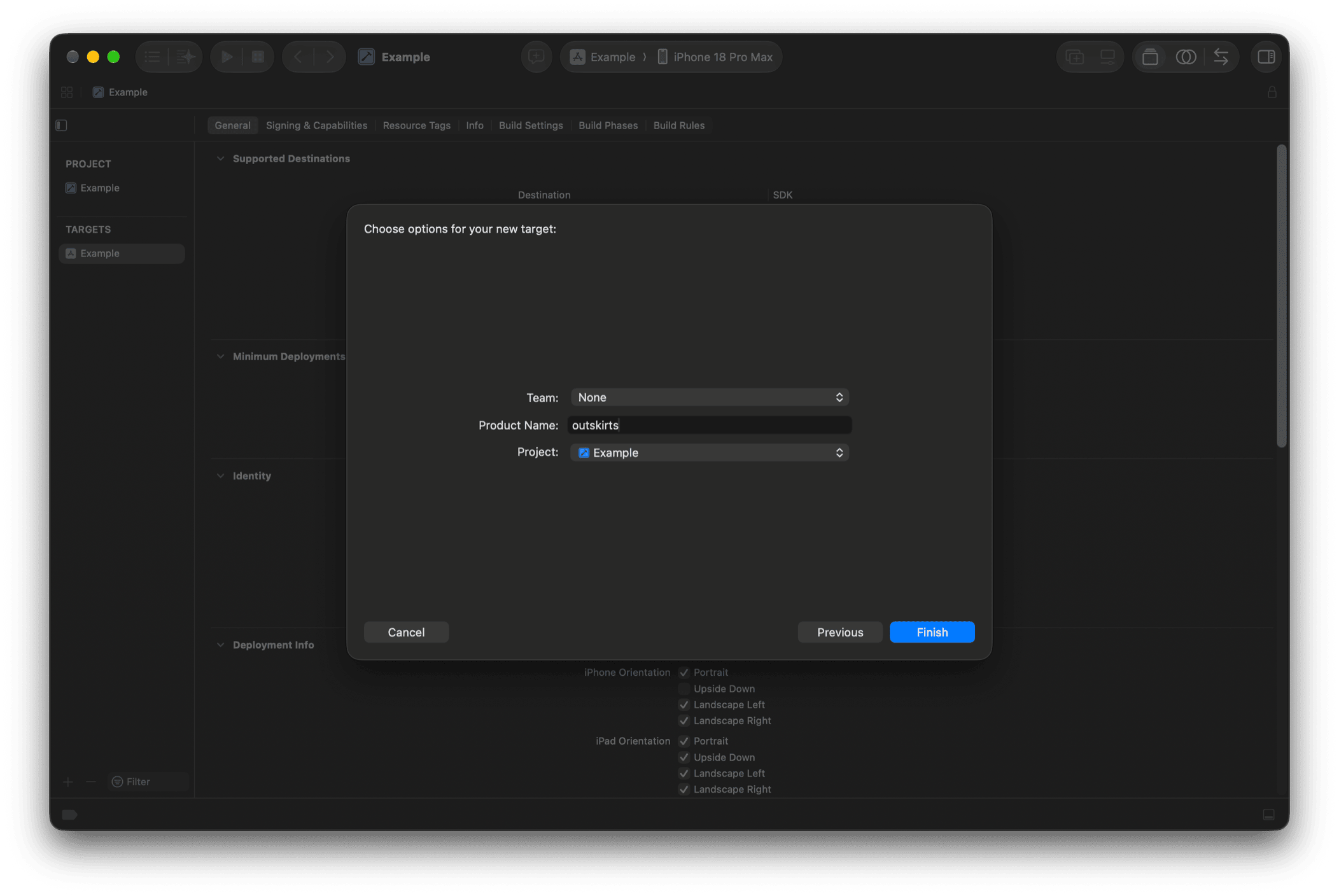
Choose a name for the new target, e.g. "outskirts" or "Unused Code".
Step 2: Add a run script build phase#
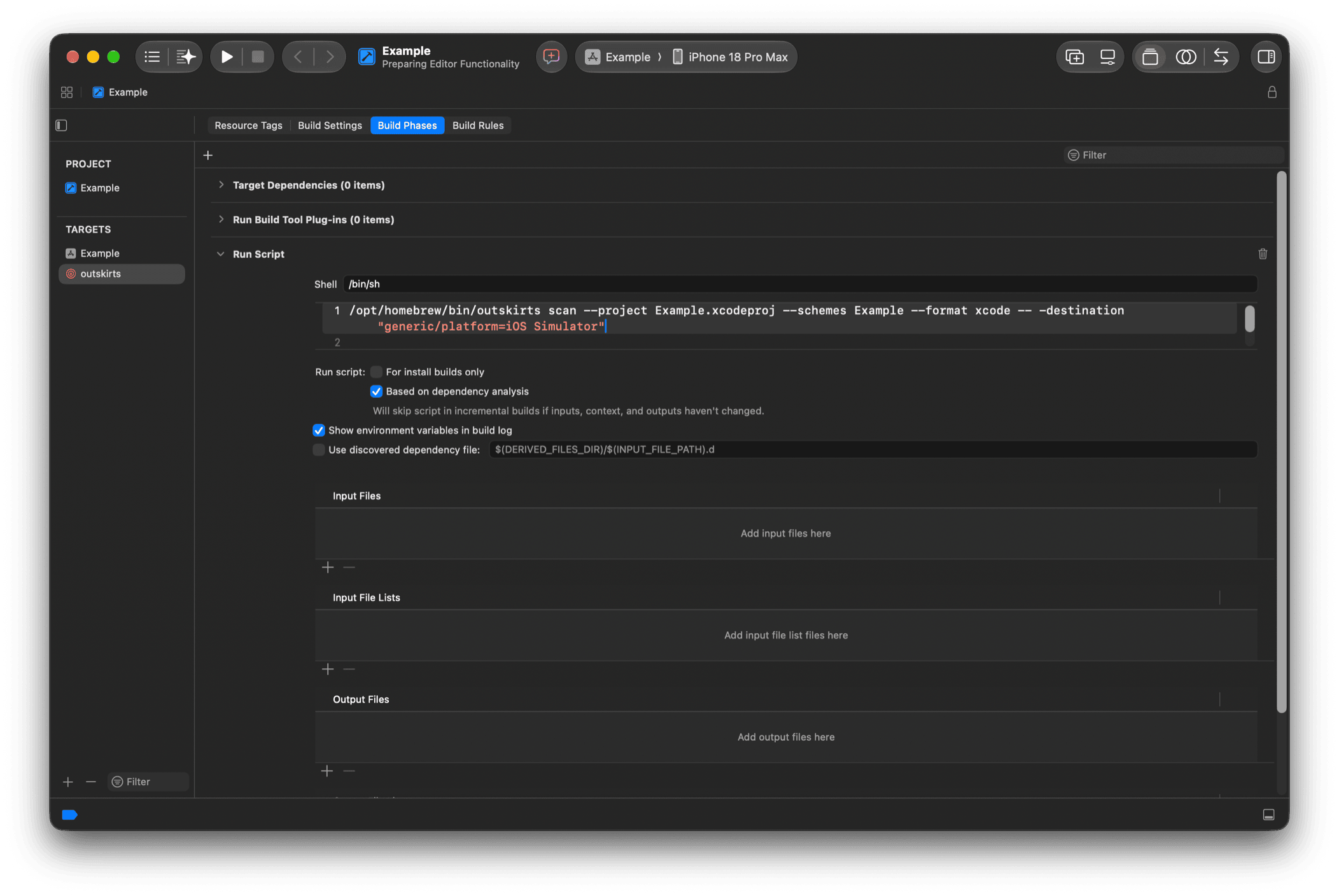
In the Build Phases section, click the + button to add a new Run Script phase.
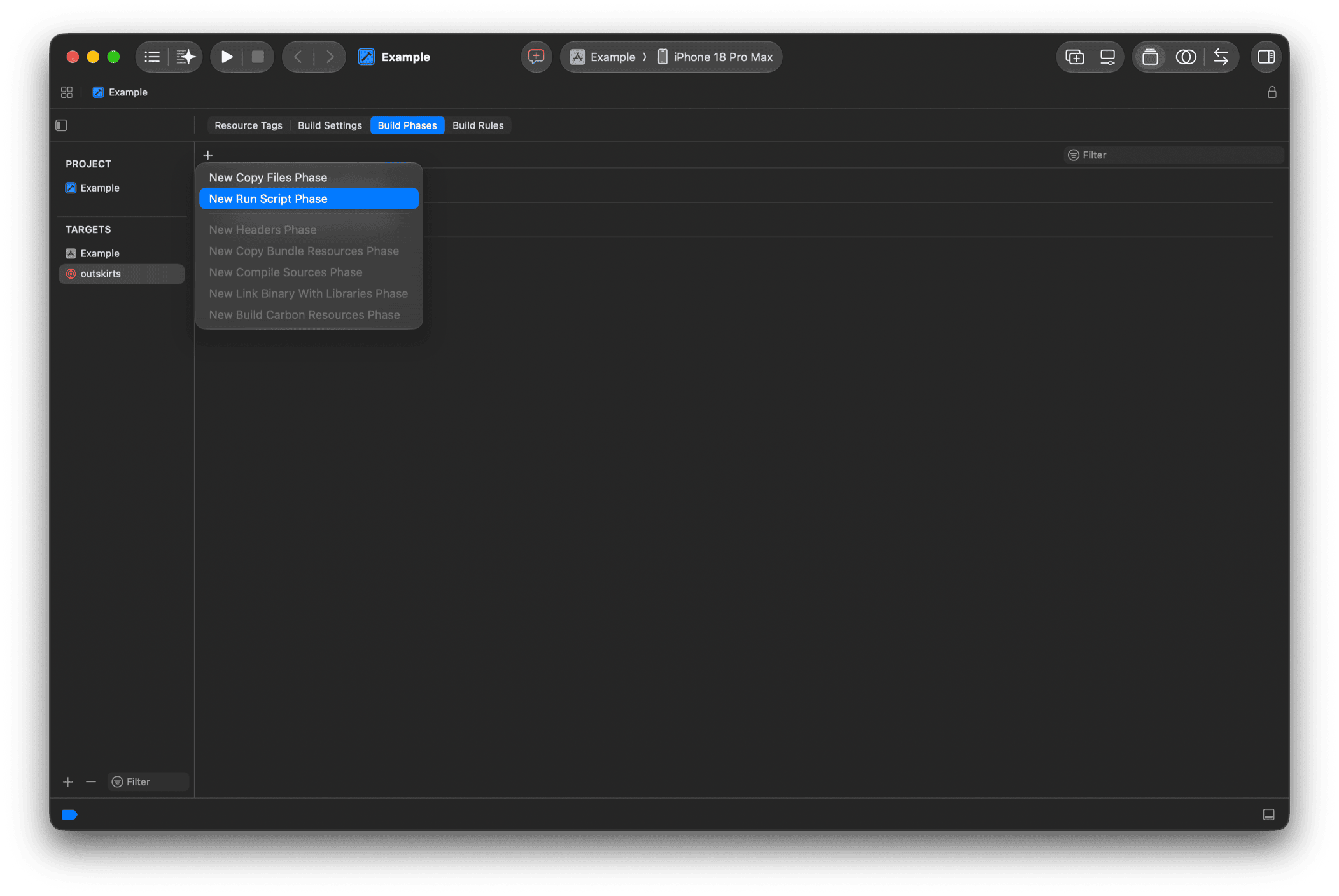
Copy your outskirts command into the script input.
Tip
- Include the
--format xcodeoption so that results are always formatted for Xcode.- Use the absolute path to
outskirts.- Keep the command on one line, or end each line but the last with
\: a line break ends a shell command, so an argument on the next line, such as the value of-destination, would be lost.- To silence Xcode's warning that the script runs during every build, clear Based on dependency analysis: the scan has no output files, so it should run every time.
Ready-to-paste script#
Instead of a bare outskirts scan command, this script builds the project itself into a project-local DerivedData with the index store enabled, then scans that index store. Results appear as warnings in Xcode. Edit these parts to match your project:
PROJECT: the path of your.xcodeprojrelative to$PROJECT_DIR. For a workspace, set it to your.xcworkspaceand replace-projectwith-workspacein thexcodebuildcall.SCHEME: the scheme to build.DESTINATION, optionally.- On the last command, the options your project needs, e.g.
--retain-publicfor a framework.
The script does not depend on the default DerivedData location, as it builds into its own folder and passes --index-store-path.
set -eu

PROJECT="MyApp.xcodeproj"
SCHEME="MyApp"
# e.g. "platform=iOS Simulator,name=iPhone 16"
# empty = auto-detect
DESTINATION=""
DERIVED_DATA="$PROJECT_DIR/.build/outskirts-derived-data"

# Locate outskirts (Homebrew: tiny-earth-moon/tap/outskirts)
OUTSKIRTS=""
for candidate in \
  "$(command -v outskirts 2>/dev/null || true)" \
  /opt/homebrew/bin/outskirts \
  /usr/local/bin/outskirts; do
  if [ -n "$candidate" ] && [ -x "$candidate" ]; then
    OUTSKIRTS="$candidate"; break
  fi
done
if [ -z "$OUTSKIRTS" ]; then
  echo "error: outskirts not found, install it:" >&2
  echo "brew install tiny-earth-moon/tap/outskirts" >&2
  exit 1
fi

# Pick the first available iOS simulator,
# else fall back to the generic destination
if [ -z "$DESTINATION" ]; then
  UDID=""
  if command -v python3 >/dev/null 2>&1; then
    UDID="$(xcrun simctl list devices available -j \
      | python3 -c '
import json, sys
devices = json.load(sys.stdin)["devices"]
for runtime, entries in devices.items():
    if "iOS" in runtime:
        for d in entries:
            if d.get("isAvailable", True):
                print(d["udid"]); sys.exit(0)
' || true)"
  fi
  if [ -n "$UDID" ]; then
    DESTINATION="id=$UDID"
  else
    DESTINATION="generic/platform=iOS Simulator"
  fi
fi

# Build with the index store enabled
cd "$PROJECT_DIR"
xcodebuild build \
  -project "$PROJECT" \
  -scheme "$SCHEME" \
  -destination "$DESTINATION" \
  -derivedDataPath "$DERIVED_DATA" \
  COMPILER_INDEX_STORE_ENABLE=YES \
  CODE_SIGNING_ALLOWED=NO

# Scan the index store; the xcode format makes
# results show up as Xcode warnings
"$OUTSKIRTS" scan \
  --skip-build \
  --index-store-path \
    "$DERIVED_DATA/Index.noindex/DataStore" \
  --format xcode
--skip-build without --index-store-path finds the DataStore in DerivedData on its own (since 3.12.2). The shortened form depends on the default DerivedData location: outskirts looks for ~/Library/Developer/Xcode/DerivedData/<ProjectName>-*/Index.noindex/DataStore (or Index/DataStore), using the most recently modified match, so the project must have been built by Xcode there. If it is, the last command can be shortened to:
"$OUTSKIRTS" scan --skip-build --format xcode
Step 3: Disable user script sandboxing#
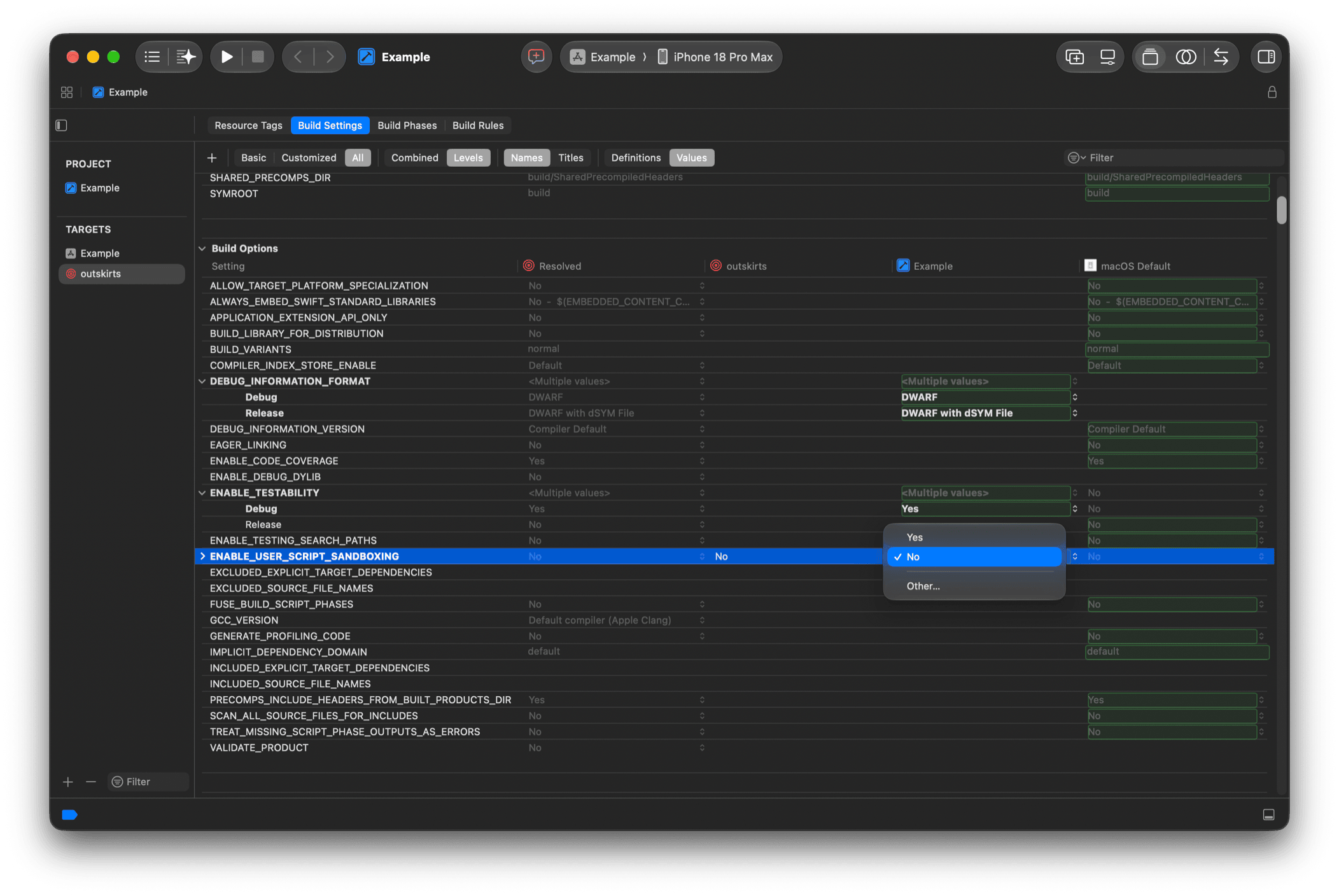
Disable User Script Sandboxing for the Run Script phase: outskirts needs to read your project's index store and source files, which Xcode's default sandbox blocks. Set the ENABLE_USER_SCRIPT_SANDBOXING build setting to No for the outskirts aggregate target.
Step 4: Select and run#
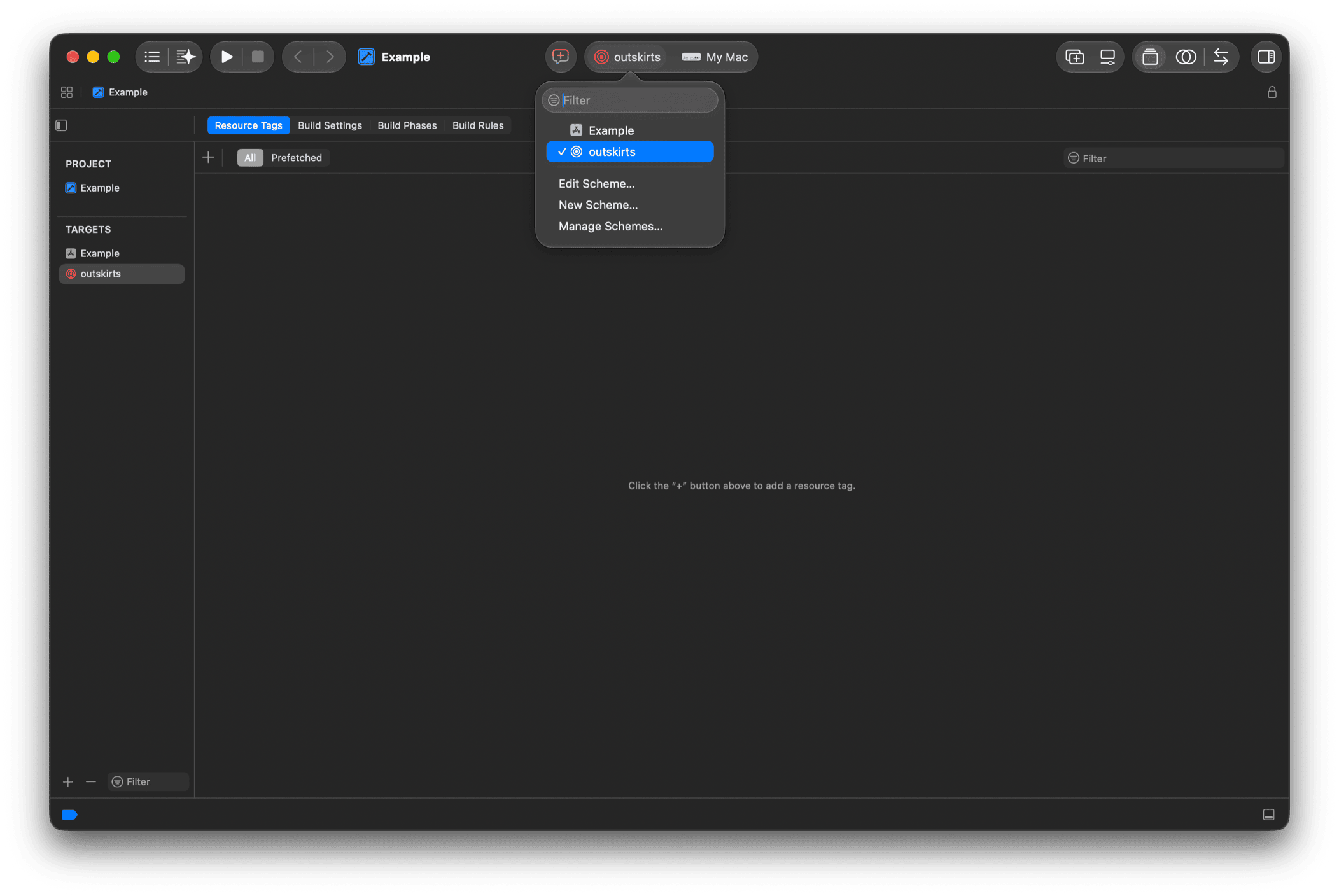
The new scheme is now in the scheme menu. Select it and run it.
Tip
For others on your team to use the scheme, mark it as Shared: choose Manage Schemes... and select the Shared checkbox next to the new scheme. The scheme definition can then be checked into source control.
The results appear as warnings in the Issue navigator, grouped by file, and next to the code in the editor.